File converters

NativeConvert
Free online file converter that runs in your browser with no uploads
- Community votes
- 0
- DR by Ahrefs
- 2 no change since last check
Ahrefs Domain Rating reviewed on 24 Nov 2026, a new score on 24 Nov 2026.
A free web application that converts images, audio, video, and PDF files directly in your browser without uploading files to servers.
Synopsis
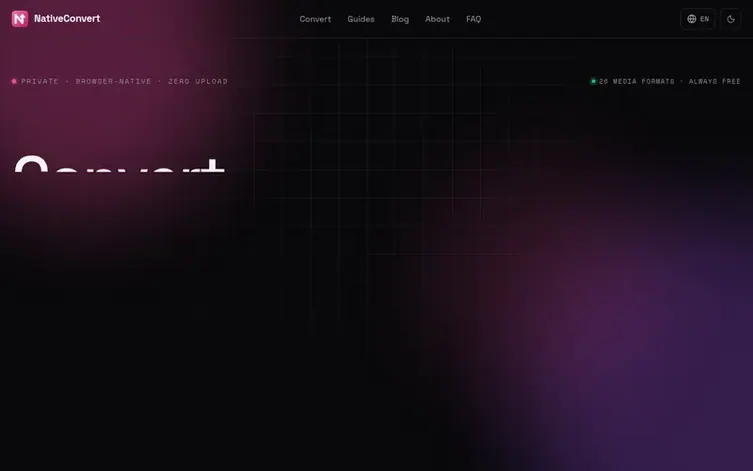
The NativeConvert homepage
NativeConvert is a free website for everyday file work including converting between formats, compressing and editing photos, merging and signing PDFs, converting Word or Excel files to PDFs, trimming video, and transcribing recordings. Every tool runs entirely on your own computer or phone inside the browser tab. The file is processed locally using WebAssembly, Canvas and JavaScript, never sent to a server.
The site provides 161 format conversion pairs and 178 tools across multiple categories: image conversion and editing, PDF manipulation, office document conversion, video and audio processing, text utilities, developer tools, QR codes and barcodes, and AI-powered features like background removal and speech-to-text. All AI models run on your device rather than on cloud services.
Files remain on your device throughout processing and are deleted when you close the tab. The site is funded by planned Google AdSense ads which will not see your files since files never leave your browser. It is a small independent project that ships new tools and fixes weekly.
On the bill
- 161 format conversion pairs for images, audio, video and PDF
- Image compression and editing with resize, crop, rotate, text and watermark tools
- PDF tools including merge, split, sign, password protection and OCR
- Audio and video editing with trim, merge, speed adjustment and subtitle support
- Speech-to-text transcription with subtitle generation
- Support for 26 media formats including WebP, HEIC, AVIF, MP3, WAV and MP4
- Offline functionality after initial tool load
Pricing
Pricing model: Free
Get NativeConvert's news by email: milestones, updates, new products and founder stories. Follow to switch it on.
NativeConvert metrics
| Metric | Value |
|---|---|
| Domain Rating | 2 no change since last check |
| Trust Flow | 2 no change since last check |
| Citation Flow | 17 no change since last check |
| Referring domains | 4 no change since last check |
| External backlinks | 5 no change since last check |
Ahrefs Domain Rating reviewed on 24 Nov 2026, a new score on 24 Nov 2026. Its best-known topic: Computers/Software/Operating Systems (2). Majestic reviewed on 24 Nov 2026, a new score on 24 Nov 2026. Link data credited to Majestic. Trust Flow, Citation Flow and Topical Trust Flow are trademarks of Majestic-12 Ltd.
NativeConvert's domain, behind the curtain
Look behind the curtain
| Domain age | 8 months |
|---|---|
| Registered | |
| Expires | |
| Registrar | Hosting Concepts B.V. d/b/a Registrar.eu |
| DNSSEC | Not signed |
NativeConvert's reviews after opening night
NativeConvert went live on Product Debuts on 24 November 2026. Here is what our readings show since then.
- Domain Rating (Ahrefs)
- 2
- First measured 24 Nov 2026
- Trust Flow (Majestic)
- 2
- First measured 24 Nov 2026
- Referring domains (Majestic)
- 4
- First measured 24 Nov 2026
Day 0 since launch. Next receipt: day 30, 24 Dec 2026. What the readings say, nothing more: a rise or fall here is not proof of its cause. We leave out anything we have not measured.
Launching your own product?
A free checklist for launch day and the week around it, with a list of launch directories.
Compare and explore
Press questions
Do I need to install anything to convert files?
No. Every converter runs in a normal browser tab on Windows, macOS, Linux, iPhone and Android. There is no app, no extension and no account. Audio and video converters download the FFmpeg engine on first use, and your browser keeps it for later visits.
Why is this more private than other online converters?
Most online converters upload your file to their server, convert it there and keep a copy for a while. Here the conversion runs on your device, so there is no copy anywhere else to leak, be kept or be looked at.
How can I check that my file is not uploaded?
Open your browser's developer tools, switch to the Network tab and convert a file: no request carries your file. Another way is to convert one file, turn off Wi-Fi and convert another; it still works because the conversion never needed a server.
What file formats are supported?
Images include WebP, PNG, JPG, HEIC, AVIF, GIF, BMP, TIFF and SVG with ICO output. Audio formats are MP3, WAV, FLAC, AAC, OGG, Opus, M4A, AIFF and WMA input. Video includes MP4, MOV, AVI, WebM, MKV, FLV and 3GP, plus audio extraction and video to GIF.
Does it work on iPhone and Android?
Yes, the tools work in mobile browsers on phones and tablets. Video encoding and AI tools are slower on a phone, and very large files may exceed the memory a mobile browser allows.
Leave a review for NativeConvert
NativeConvert is waiting for its first review. Take the stage.
Reviews are free. Nobody pays to be reviewed here. See the reviews and chat
Reviews and buzz · Since opening night · Share the debut · Your company on stage? Claim it · Report this debut
NativeConvert has a free listing. The owner can unlock the full profile with a paid launch for $5:
- Founder story (locked)
- Milestones (locked)
- Demo video (locked)
- Dofollow website link: not on this free listing (its website link is nofollow)
Also debuting
-
0 votes. Log in to cheer for IGDropper
 Number 1: IGDropper
Download Instagram videos and Reels without added watermark
-
0 votes. Log in to cheer for ChangeMyFile
 Number 2: ChangeMyFile
Free online tools for PDF, image, audio and video files without signing up